
Thermal Pos Paper may look like a small purchasing detail, yet it affects every checkout. A clean, readable receipt builds confidence. A faded line or jammed printer slows the queue. On a busy morning, even a few seconds matter.
The market is substantial. Grand View Research estimated the global thermal paper market at approximately USD 4.3 billion in 2023, reflecting demand across retail, transport, and other transaction-heavy sectors. That figure covers thermal paper broadly, not POS rolls alone. Still, it signals why buyers should compare more than price. Paper sensitivity, roll dimensions, printer compatibility, and image durability all influence daily performance.
Think of a cashier tearing a receipt from a warm printer, while the next customer waits. The roll should feed smoothly and print sharply. Small details count. A lower-cost roll may not be the best value if it creates waste, reprints, or service interruptions. Thermal Pos Paper can support faster transactions because it prints through heat without requiring ink or toner. But quality varies, and the right choice depends on equipment and operating conditions.
A named expert quotation cannot be responsibly verified from the material provided, so I won’t invent one. That matters. Before choosing a supplier, test sample rolls in your own printers and check print clarity after storage. A short trial can reveal problems that a product sheet misses.
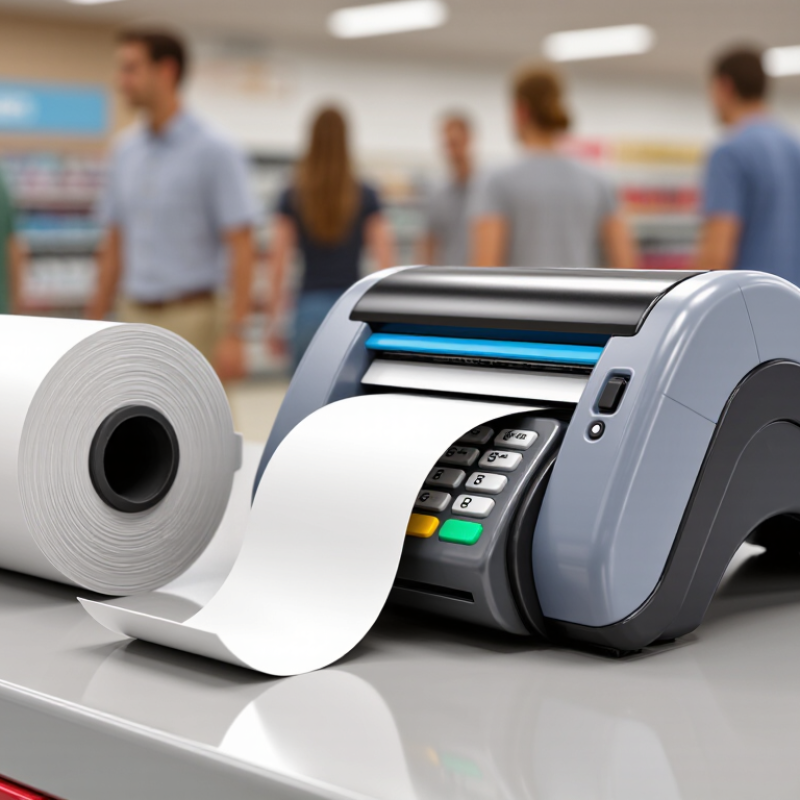
Thermal POS paper is receipt stock with a heat-sensitive coating. A thermal printer warms selected points on the paper, creating dark text without an ink cartridge or ribbon. The roll may look like ordinary white paper, but its printable surface behaves differently. No ink cartridge. A receipt prints quickly, with few moving parts involved.
Many other receipts are printed on plain paper using an ink ribbon or another ink-based system. In that setup, ink transfers onto the sheet; with thermal printing, heat changes the coated surface itself. This difference can reduce routine supply changes and keep printer mechanisms simpler. It also means the paper must match the printer’s width, roll size, and loading direction. A roll that fits poorly can cause jams or uneven printing.
Thermal receipts have a weakness worth considering. Heat, sunlight, friction, and some oils can make the image fade or darken over time. A receipt left on a warm dashboard may become hard to read. Thermal paper is practical for everyday transactions, but it may not suit records that need to remain legible for years. Storage matters. Keep unused rolls cool and dry, and test a sample in the actual printer. Paper descriptions can sound similar, yet coating quality and print contrast vary. That detail is easy to miss.
| Comparison Point | Thermal POS Paper | Plain Bond Receipt Paper | Carbonless Receipt Paper |
|---|---|---|---|
| How the image is made | A heat-sensitive coating reacts to the printhead’s heat to form text and images directly on the paper. | An ink-based printer transfers ink onto uncoated paper. | Pressure from writing or printing transfers dye from a coated top sheet to a receptive sheet below. |
| Typical printer setup | Designed for a compatible direct thermal printer; no ink cartridge or ribbon is needed. | Requires a compatible ink-based printer and its ink supply. | Usually used with impact printing or handwriting; compatibility depends on the paper set and printer. |
| Paper construction | Paper has a heat-reactive surface coating. The exact coating and paper grade vary by product. | Typically uncoated paper intended to receive ink. | Uses multiple specially coated sheets so a mark on the top sheet can create copies below. |
| Printing workflow | Prints quickly with a simple paper-loading process; the printer must use the correct thermal-paper type and roll dimensions. | Requires ink and may involve cartridge replacement or ink-related print quality checks. | Can produce several copies in one transaction, but sheets must be loaded and aligned correctly. |
| Best suited to | Fast, single-copy receipts at checkout counters, kiosks, and other compatible point-of-sale terminals. | Receipts or documents produced on equipment designed for ink-based printing. | Forms that need duplicate or multi-part copies, such as order records or signed transaction forms. |
| Image durability | Print can fade or change with exposure to heat, sunlight, friction, oils, or certain chemicals. Performance varies by paper grade and storage conditions. | Durability depends on the ink, paper, printer, and storage conditions. | Copy legibility depends on the paper set, printing pressure, and storage conditions. |
| Storage guidance | Store unused rolls in a cool, dry place away from direct sunlight, heat, and contact with chemicals or plastic materials that may affect the coating. | Keep paper clean and dry; protect printed receipts from moisture, smearing, and excessive light. | Keep forms dry and flat, and follow the paper supplier’s guidance for preserving copies. |
| Main business advantage | Combines fast, quiet printing with a simple printer setup that does not require ink or ribbon. | Works with ink-based printing workflows and can be suitable when the equipment already uses ink. | Provides multiple copies from a single transaction without separately photocopying the original. |
| Key selection check | Confirm printer compatibility, roll width, roll diameter, core size, and the receipt’s expected storage life. | Confirm printer compatibility, paper dimensions, and the appropriate ink supply. | Confirm the number of required copies, sheet sequence, form dimensions, and printer compatibility. |