What Are the Top Anti Blue Light Screen Protectors in 2026?
Screens are part of daily life, from bright phones on the morning commute to tablets beside the bed. In 2026, shoppers will find many options marketed as an Anti-Blue Light Screen Protector. Yet the label alone does not show how well a product works. A useful comparison should consider stated filtering performance, screen clarity, touch response, fit, installation, and price. Small details matter: glare near a window, fingerprints after a video call, or a lifted corner can affect everyday use. Not magic.
This guide looks at what separates the leading protectors, including how brands describe their blue-light filtering and what buyers can verify before purchasing. Product claims are not all measured or presented in the same way, so percentages may be difficult to compare directly. A protector also cannot replace sensible screen habits, and it should not be treated as a medical solution for eye strain or sleep problems. Check the device model carefully, read the warranty terms, and look for clear installation instructions. A ranking can seem precise, while real-world comfort still depends on brightness, lighting, and personal preference. That is an imperfect part of any comparison. The aim here is practical: help readers weigh visible trade-offs, avoid relying on vague promises, and choose a screen protector that suits their device and routine.
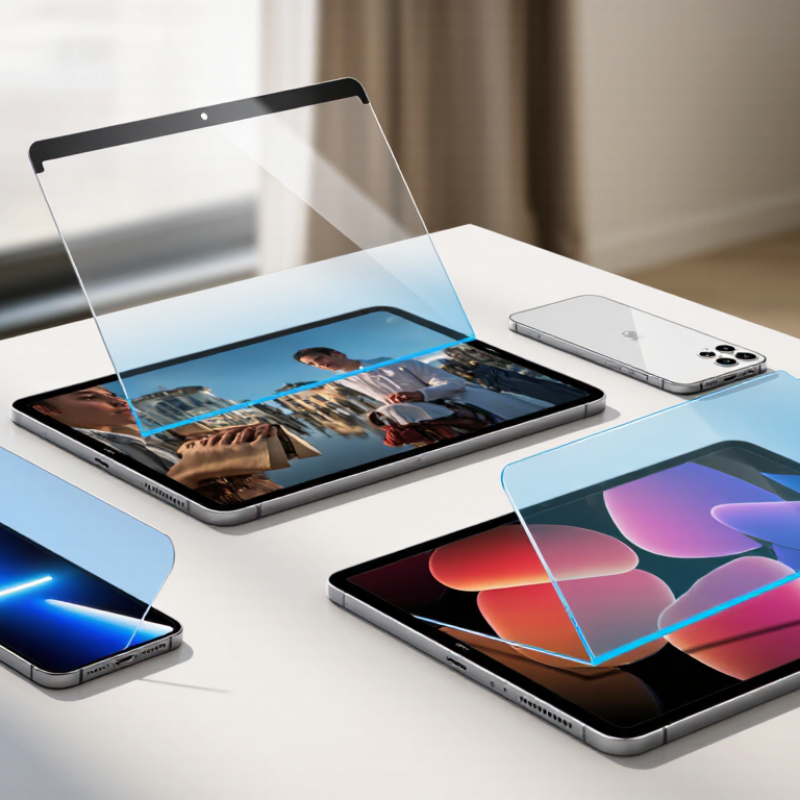
What Anti-Blue-Light Screen Protectors Are
An anti-blue-light screen protector is a thin layer placed over a phone, tablet, or monitor to reduce some blue-violet visible light passing through the display. It may use a tinted material, a surface coating, or both. The amount filtered varies, so “anti-blue-light” does not mean the screen’s blue light is removed. Check whether the stated reduction applies to a specific wavelength range; a single percentage can hide important details. The label can sound more precise than it is.
In everyday use, a protector may slightly warm screen colors, like looking through a faint amber window. That can matter when editing photos or choosing colors for work. Fit matters too: dust trapped near a corner can catch the light, and a rough edge may feel distracting under a fingertip. Some people find a warmer display more comfortable at night, but research does not establish that these protectors prevent eye disease. Screen discomfort can also come from glare, long close-up sessions, or forgetting to blink. Small changes help. Lower brightness, adjust room lighting, and take distance breaks. A protector is one option, not a complete answer, and its real benefit may be hard to separate from those other changes.
What Are Anti-Blue-Light Screen Protectors?
Approximate visible-light wavelength bands, in nanometers (nm)
Blue light is part of the visible spectrum, roughly 450–495 nm in this simplified classification. Anti-blue-light screen protectors vary in how much light they filter and at which wavelengths; this chart shows wavelength ranges, not the performance of any specific product.
How Blue-Light Filtering Technology Works
Blue-light filtering screen protectors reduce selected short-wavelength visible light before it leaves the display. They do not create a complete barrier. Many use tinted polymers, absorptive dyes, or coatings that reflect part of the blue-violet range. The amount filtered varies, so a “blue-light blocking” label alone tells you little. Look for a transmission chart showing which wavelengths are reduced and by how much. Stronger filtering can create a warm cast. Color shifts are real. Check a white screen; it may look cream-colored.
Performance depends on more than a filtering percentage. Glass thickness, adhesive uniformity, glare, and screen brightness affect daily viewing. A protector reflecting overhead lamps can feel distracting, even with an impressive chart. Compare small gray text, skin tones, and a familiar photo in daylight and warm indoor light. Current evidence does not establish that ordinary screen blue light damages eyes, and a protector is not a treatment for eye strain. For comfort, readable text, reduced glare, and regular distance breaks may matter more. I’d be cautious about dramatic claims, since testing methods and product labels are not always equally clear. Some displays also offer night modes, which shift colors without adding a physical layer.
Criteria for Comparing Screen Protectors in 2026
When comparing anti-blue-light screen protectors in 2026, look beyond labels such as “high protection.” Check whether the maker shares wavelength-specific transmission results, not just a single percentage. Blue light covers a range of visible wavelengths, so one figure may hide what the product actually filters. Independent test methods and clearly stated conditions make claims easier to judge. Numbers matter.
Image clarity deserves equal attention. A tinted filter can change whites, skin tones, and color work on screen. Compare the protector under the same brightness and lighting you use daily. Also check touch response, glare, surface reflections, and whether the edges lift around a case. Small fit problems can collect dust or catch a fingertip. Check the edges. Eye comfort varies, and a protector cannot promise better sleep or prevent eye strain; breaks and sensible screen habits still matter.
Tips: Read the full test details before buying. If possible, view a color test image through the protector, then inspect text on a bright screen. Keep the receipt: your display, lighting, and preferences may make the filter feel different than expected.
Top Anti-Blue-Light Screen Protector Types and Features
Anti-blue-light screen protectors differ in tint, surface finish, and how much visible light they filter. Clear films usually preserve screen colors better, while amber-tinted protectors can make whites look warmer. Filtering performance varies by product, so check independent test details when available. A label alone does not explain which wavelengths are reduced.
Matte protectors diffuse reflections from windows and overhead lights, but may soften fine text. Glossy glass often keeps images sharper and feels smooth under a fingertip. Some protectors combine a light tint with anti-glare treatment; others prioritize impact or scratch resistance instead. Choose based on your screen and daily setting. For design work or accurate color, strong amber tint may be a poor fit. It is easy to overlook that trade-off.
Tips: Match the protector to your device’s exact screen size. Clean the display carefully, then align the top edge before pressing out bubbles. Compare the screen with and without the protector in daylight. If colors seem tiring or oddly warm, reconsider the tint; comfort is personal, and a protector cannot guarantee better sleep.
What Are the Top Anti Blue Light Screen Protectors in 2026? - Top Anti-Blue-Light Screen Protector Types and Features
| Protector type | How it works | Appearance and display effect | Main advantages | Trade-offs and best fit |
| Clear blue-light-filtering film | Uses a film layer or coating designed to reduce transmission of selected wavelengths. The amount and wavelength range filtered vary by product. | Usually keeps the screen looking relatively clear, though some products can subtly change color or brightness. | Slim, lightweight, and generally compatible with touchscreens when correctly fitted. | A practical choice for users who want a low-profile layer. Check independent or detailed spectral-transmission data rather than relying only on a general filtering claim. |
| Amber or visibly tinted filter | A tinted material absorbs or blocks more short-wavelength visible light than a visually clear filter; performance depends on the tint and material. | Noticeably warm or yellow-toned image; color accuracy is reduced. | The visible tint makes the filtering approach apparent and can suit users who prioritize stronger short-wavelength reduction over neutral color. | Less suitable for photo editing, design, and other color-critical work. Consider it when color fidelity is not a priority. |
| Tempered-glass filter with blue-light coating | A rigid glass protector provides a physical screen layer; an added coating or glass formulation is marketed to reduce some blue-light transmission. | Typically clear, but reflections, coating appearance, and color shift depend on the specific construction. | Combines screen-surface protection with a filtering feature in one accessory. | Adds thickness and can be incompatible with some cases or curved screens. Blue-light performance is product-specific and does not indicate impact protection level. |
| Privacy filter with a blue-light feature | A privacy layer narrows the viewing angle; some versions also include a separate filtering material or coating. | Can darken the display or make it look different from off-center angles; color and brightness effects vary. | Useful where limiting side views is important, such as in public or shared spaces. | Privacy and blue-light filtering are separate functions; verify both specifications. Not ideal when wide viewing angles or precise color are needed. |
| Matte anti-glare film with a filtering claim | A matte surface diffuses reflected light. Any blue-light reduction comes from an additional material or coating, not from the matte finish alone. | Reduces the sharpness of reflections but may add a textured look or slightly soften the image. | Can improve comfort in bright environments by reducing visible glare. | Choose it primarily for glare control and confirm blue-light performance separately. The texture may be less appealing for high-detail viewing. |
Note: “Blue light” generally refers to the short-wavelength portion of visible light, approximately 400–500 nm. There is no single filtering percentage that describes every protector’s performance; results depend on the tested wavelength range and measurement method. A screen protector’s filtering claims should not be treated as proof that it prevents eye strain or improves sleep.
How to Choose a Protector for Your Device and Needs
Choosing an anti-blue-light screen protector starts with the device, not the strongest tint. Check the exact model and screen size, including camera cutouts and curved edges. A protector that lifts at the corners collects dust and can make swiping frustrating. Small details matter.
Look for clear information about light transmission or filtering rather than relying on a dark appearance. A yellow cast may reduce color accuracy, which matters when editing photos or reading charts. If you work outdoors, compare glare reduction too; it is not the same feature as blue-light filtering. Touch response should remain smooth, and text should look sharp at your usual brightness. Ask whether the protector is tempered glass or film, since glass often feels closer to a bare display while film can fit some curved screens better. Neither choice is perfect.
Think about when and how you use the device. For evening reading, a mild filter paired with lower brightness may feel more comfortable, though individual results vary. Evidence does not support treating a protector as a cure for eye strain or sleep problems. I would be cautious about paying extra for dramatic promises. A simple test helps: view a white page, type a message, and check colors under your room lighting before keeping the protector. It can still feel slightly different.
